Search "Dify vs LangGraph vs n8n" and you'll find a dozen posts each crowning a winner. That's the wrong question. We evaluated all three closely for our own AI delivery work — architecture, licensing terms, and where each one actually breaks down — and the teams that keep re-litigating "which one should we standardize on" are usually the ones trying to force a single tool to do three different jobs.
Here's the framing that holds up once you dig past the feature-comparison level: these are not competitors. They're three different categories that happen to all touch "AI."
The three categories
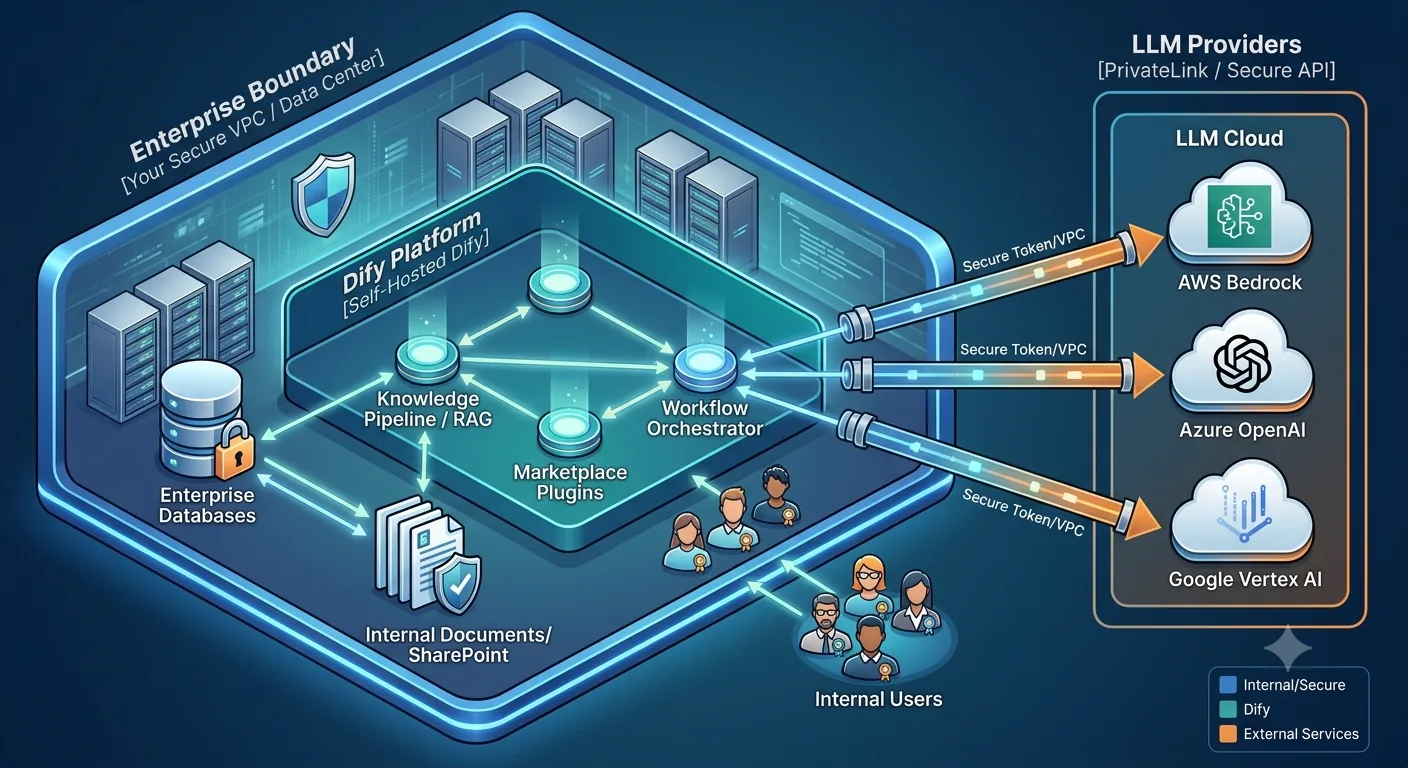
Dify is a visual LLM application platform. It's where you build retrieval-augmented generation (RAG) apps, chatbots, and human-reviewed agent workflows without writing a custom orchestration layer. Knowledge base ingestion, chunking, hybrid search, and prompt management come built in. It runs as a service — your app calls it over HTTP.
LangGraph is a code-first, stateful graph runtime. You write Python or JavaScript; LangGraph gives you the primitives for cycles, conditional branching, and persisted state across steps. It runs in-process, inside your own application — no network hop to a separate service. That makes it the right tool when milliseconds matter or when the control logic is too custom for a visual canvas to express.
n8n is a workflow-automation platform with AI bolted on well. Its home turf is connecting systems — CRMs, ERPs, marketing tools, internal APIs — on a visual canvas with an enormous library of pre-built connectors. It now has real LangChain-based AI nodes, but the reason to reach for it is integration breadth, not agent sophistication.
Put a RAG chatbot in LangGraph and you'll rebuild half of Dify by hand. Put a hard real-time voice agent in Dify and you'll fight its HTTP-service latency the whole way. Put a deeply stateful, self-refining agent loop in n8n and you'll outgrow it fast. Each tool is excellent at what it's for and mediocre outside it.
Route by workload, not by preference
This is the part that actually matters day to day. Before starting a build, ask what kind of workload it is — not which tool your team likes best.
| Workload | Route to | Why |
|---|---|---|
| Turn-based RAG / knowledge Q&A | Dify | Built-in knowledge pipeline, hybrid search, fastest to ship, editable by non-engineers |
| Multi-step workflow with a human review step | Dify | Native pause-for-approval nodes with persisted state — the workflow can wait on a human without you building that infrastructure |
| Integration-heavy automation, light AI | n8n | Hundreds of pre-built connectors, native triggers/webhooks, self-hosting economics |
| Branching, cyclic, self-refining agent logic | LangGraph | Cycles and state machines are native to the model, not bolted on |
| Latency-critical or real-time (voice, live interaction) | LangGraph | Runs in-process — no HTTP hop, token-level streaming |
| Long-running, crash-safe durable execution | LangGraph + a durable-execution layer | Checkpointing is a building block here, not a finished product — plan to add persistence and recovery yourself |
The pattern: Dify owns anything a business user should be able to reason about on a canvas. LangGraph owns anything where the control flow is genuinely custom or latency is non-negotiable. n8n owns the plumbing between your AI layer and everything else in the business.
Two traps that catch teams after they've already chosen
Picking the right tool per workload solves half the problem. The other half shows up after you've committed, and it looks different for each platform.
Dify: community edition is single-tenant by design
If you're self-hosting Dify's free Community Edition, know this going in: it's a single workspace with no SSO. There's no built-in way to cleanly separate multiple clients or business units inside one instance. If you need that kind of isolation, the options are a dedicated deployment per tenant, or Dify's paid Enterprise tier, which adds multi-workspace support and SSO. Teams that discover this after building on the assumption of easy multi-tenancy end up re-architecting mid-project.
There's also a licensing line worth knowing: Dify's Community Edition license permits internal use and per-client deployments, but it does not permit reselling a hosted, multi-tenant instance of Dify itself as your own SaaS product without a commercial agreement. If your business model is "host Dify and resell access to many customers from one instance," talk to Dify about licensing before you build, not after.
LangGraph: checkpointing is not the same as durability
LangGraph gives you checkpointers — a way to persist state at each step so a run can be inspected or resumed. It's tempting to read that as "LangGraph handles durability." It doesn't, out of the box. Open-source LangGraph runs as a single process. If that process crashes mid-run, recovering cleanly, avoiding duplicate side effects, and coordinating across workers is on you — either through your own distributed locking and idempotency work, or by pairing it with a managed deployment option or a dedicated durable-execution engine. Teams that treat checkpointing as "solved" find out the gap exists exactly when a production run fails halfway through a multi-step agent action.
n8n: the connector library is also an attack surface
n8n's biggest strength — thousands of community-published connectors — is also a supply-chain risk if you install them without review. Self-hosted instances can pull in community nodes from the open npm ecosystem, and that ecosystem has already seen malicious packages published under names that mimic popular legitimate ones, aimed at harvesting credentials. Stick to verified nodes where they exist, and treat any community connector the way you'd treat an unreviewed npm dependency in your own codebase — because that's what it is.
The takeaway
None of these three tools is trying to be the other two, and the moment you evaluate them as if they're competing for the same job, you'll pick wrong for at least part of your stack. The teams shipping AI features fastest aren't the ones who won the "which framework" debate internally — they're the ones who stopped having it, mapped their workloads to the categories above, and let each tool do the one thing it's actually built for.
If you're weighing where AI orchestration fits into your stack — and which of these categories your next workload actually falls into — Ibistra Tech can help you architect it. We build and deploy self-hosted AI systems for teams that need to keep control of their data and their infrastructure.